How to Watch Vikings IPTV: 2026 Legal + Quick Setup
September 7, 2026 · 9 min read
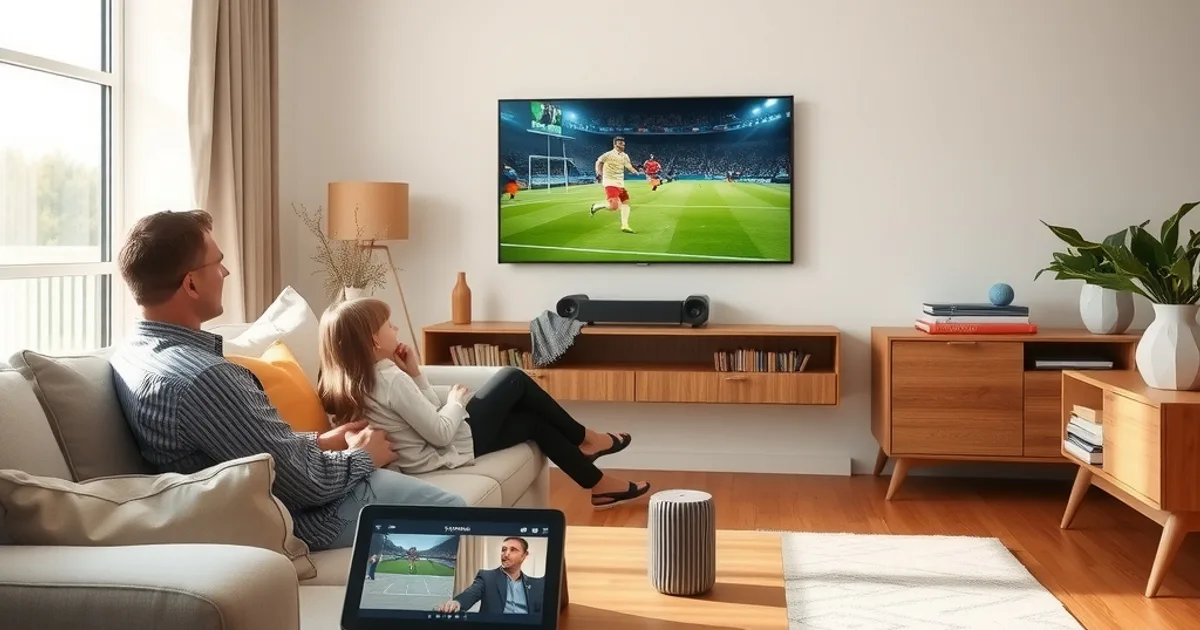
If you searched "viking.tv how to watch" hoping for a straight answer, here it is: legally, technically, and without the usual runaround. Three things changed this year that make this the right moment to actually do it instead of bookmarking another guide.
First, Sweden's July 2026 law update closed the grey area that used to make IPTV subscribers nervous — the legal status of using a licensed streaming service like this is no longer ambiguous for Nordic consumers. Second, competition among providers pushed annual pricing down sharply compared to what a cable-plus-sports-package bundle costs across a year. Third, the Allsvenskan, Eliteserien, and Superliga 2026-27 seasons are already underway, which means the real test of any IPTV service — can it hold a stream steady when half the country tunes in for the same match — is happening right now.
This guide walks through legality, plan choice, signup, device setup, and the buffering fixes that actually matter during peak sports hours. No invented numbers, no hype — just what to check and what to do.
Is Vikings IPTV Legal in 2026? What the New Swedish Law Changed
The confusion around IPTV legality was never really about the technology — IPTV is just a delivery method, the same protocol category used by legitimate telecom-operator TV services. The confusion came from unlicensed resellers using the same term to describe pirated streams of premium sports and film content. That blurred category is what the July 2026 Swedish legal clarification addressed: it drew a clearer line between licensed distribution and unauthorized retransmission, and it gave consumers a clearer basis for knowing which side of that line a given service sits on.
For a household deciding whether to sign up, the practical takeaway isn't a blanket "IPTV is legal" or "IPTV is illegal" — it's that the legal status now depends on whether the provider holds proper content licensing, not on the delivery technology itself. We've written a dedicated breakdown of exactly what the new law says and how to evaluate a provider against it: see /blog/is-iptv-legal-sweden-2026-new-law before you commit to any service, not just this one.
This matters beyond peace of mind. Licensed services are the ones investing in server capacity, CDN routing, and customer support — which is exactly why the reliability conversation later in this article and the legal conversation are really the same conversation.
Not sure if your device is supported or want to ask about channel coverage before signing up?
Why 2026 is Different: Market Consolidation & Price Drops
IPTV pricing in the Nordics has moved in a clear direction over the past year: consolidation among providers, driven partly by the licensing clarity mentioned above, has pushed weaker or non-compliant operators out and let the remaining licensed providers compete on annual-plan value instead of one-off signup gimmicks.
The comparison that actually matters for a Nordic household isn't provider-versus-provider, it's IPTV-versus-cable-versus-streaming-stack. A typical cable package bundled with a sports tier, plus one or two additional streaming subscriptions to cover everything cable doesn't carry, adds up fast across twelve months. An annual IPTV plan consolidates that into a single subscription and a single monthly-equivalent cost that's meaningfully lower for most households watching a comparable channel range. We go through the full math, month by month, in /blog/cord-cutting-scandinavia-cable-to-vikings-iptv — worth reading if you're still juggling a cable contract renewal decision.
The other side of consolidation is service quality. Fewer, better-capitalized providers generally means more investment in server infrastructure — which is precisely the piece that decides whether you can watch a full 90 minutes of Allsvenskan without the stream stuttering at kickoff of the second half.
Choose Your Plan: Standard vs Premium for Nordic Households
Before signup, decide which plan tier fits your household. The two-way split generally comes down to how many screens run simultaneously and how much of your viewing is high-bitrate sports and 4K content versus general entertainment. A single-viewer household with a modest TV setup has very different needs from a household streaming a match on the living room TV while a phone or tablet runs a second feed upstairs.
Rather than repeat that comparison here, we keep the full breakdown of concurrent-stream limits, quality tiers, and which plan actually suits a multi-device Nordic household up to date in one place: /blog/vikings-iptv-standard-vs-premium-plans. Check it before you land on the /pricing page so you're not choosing blind.
One practical note: if match-day is your main use case, err toward the tier with more concurrent streams even if you think you'll only ever use one — Allsvenskan and Champions League nights are exactly when a second device in the house tends to want the same match on a different screen.
Signup in 2 Minutes: Get Your Credentials
Once you've picked a plan on /pricing, signup is deliberately fast: you provide contact details, complete payment, and receive your login credentials and an M3U/Xtream connection profile, usually by email within a couple of minutes. There's no hardware to wait for and no technician visit to schedule — the entire signup-to-first-stream path is designed to happen in one sitting.
If you'd rather talk to a person before committing — for example, to confirm channel coverage for a specific league or ask about a trial — that's the point where reaching out directly is faster than digging through FAQ pages. Keep your credentials somewhere retrievable (a notes app, not a screenshot you'll lose track of), since you'll need them again for every additional device you set up.
Pick Your Device & Install (Choose Your Path)
Installation differs by device, and trying to follow a generic "install IPTV" tutorial written for a different app/device combination is the single biggest source of setup frustration. Match your device to the right guide instead of guessing.
Amazon Firestick and Fire TV are the most common living-room setup in this audience, and the sideloading step trips people up if you haven't done it before — our dedicated walkthrough covers it end to end: /blog/vikings-iptv-firestick-setup.
Apple TV 4K has its own installation path, and with the World Cup 2026 approaching this is also the device where 4K playback settings matter most for match viewing — see /blog/vikings-iptv-apple-tv-4k-world-cup-2026 for the specifics.
Android TV boxes, phones, tablets, and Windows/Mac via a compatible player app all follow a broadly similar pattern — enter your M3U URL or Xtream credentials into a player app, let the channel list populate, and you're in. If your device isn't Firestick or Apple TV, the general steps are the same: install a player app from the appropriate store, add your playlist via the credentials you received at signup, and give the initial channel-list sync a minute or two to complete.
First Stream in 5 Minutes: What You'll See
After the channel list finishes syncing, you'll land on an EPG (electronic program guide) view or a channel grid, depending on the player app you chose. Give it a moment on first load — the initial guide-data pull is the slowest part of the whole process, and subsequent loads are much faster.
Test with a channel you know is currently live rather than a VOD item, since a live stream confirms your connection, buffer settings, and credentials are all working together correctly in one shot. If a channel loads instantly and holds a clean picture for a minute or two, your setup is done — everything else from here is optimization, not troubleshooting.
Pro Tips: Avoid Buffering During Peak Sports Hours
Buffering during a big match is the single most common reason IPTV subscribers churn — and it's also the most fixable issue on this list, because most of the time the fix is on the viewer's end, not the provider's. A wired ethernet connection to your streaming device beats Wi-Fi every time for match-night stability; if ethernet isn't an option, keep your device close to the router and on the 5GHz band rather than 2.4GHz.
Close background bandwidth hogs before kickoff — cloud backups, other devices mid-download, a second household member starting a large file transfer at the same time. Peak sports hours are exactly when shared home bandwidth gets contested, and it's rarely the stream itself that's the bottleneck.
If you do hit buffering specifically during Champions League or other high-demand fixtures, we've isolated the most common causes and fixes in a dedicated piece: /blog/champions-league-buffering-fix-peak-hours-vikings-iptv. It covers the router-side, app-side, and connection-side checks in the order that actually resolves issues fastest.
One more habit worth building: if a match matters, load the channel five to ten minutes before kickoff rather than at the whistle. That gives the stream time to establish a stable buffer before the traffic spike that comes with everyone else doing the same thing at the same second.
The 2026-27 season is already live — compare plans and get streaming before the next matchday.
What's Next: Annual Plans and Long-Term Savings
Once your setup is running smoothly, the next decision is monthly versus annual billing. Annual plans lock in a lower effective monthly rate and remove the recurring friction of a monthly renewal, which matters if you're planning to watch through an entire Allsvenskan season, the Champions League knockout rounds, and into World Cup 2026 coverage without a gap.
The specific savings depend on which plan tier you're on, so compare the annual and monthly totals for your tier directly on /pricing rather than assuming a flat percentage applies across every plan.
With the legal ambiguity resolved, pricing more competitive than it's been in years, and the 2026-27 domestic seasons already live, there isn't a strong reason left to wait on switching — the setup itself takes less time than watching a single match highlight reel.
Frequently asked questions
Is IPTV actually legal in Sweden and the wider Nordic region in 2026?
The July 2026 Swedish law update clarified that legality depends on whether the provider holds proper content licensing, not on the IPTV delivery method itself. Licensed services are on solid legal footing; unlicensed resellers of pirated streams are not. See our full breakdown at /blog/is-iptv-legal-sweden-2026-new-law.
How long does setup actually take?
Most users go from signup to first live stream in under ten minutes: a couple of minutes for payment and receiving credentials, then a few minutes to install a player app and let the channel guide sync, depending on your device.
Which device is easiest to set up first?
Firestick and Apple TV 4K are the two most common starting points for this audience and both have dedicated step-by-step guides: /blog/vikings-iptv-firestick-setup and /blog/vikings-iptv-apple-tv-4k-world-cup-2026.
Why does my stream buffer specifically during big matches?
Peak sports hours put the most simultaneous load on both your home network and the wider internet path, so buffering issues surface exactly when everyone else is also watching. A wired connection, freeing up home bandwidth, and loading the channel a few minutes before kickoff resolve most cases — full detail at /blog/champions-league-buffering-fix-peak-hours-vikings-iptv.
Should I choose Standard or Premium?
It depends on how many devices stream simultaneously and how much of your viewing is high-bitrate sports or 4K content. Compare concurrent-stream limits and quality tiers at /blog/vikings-iptv-standard-vs-premium-plans before choosing on /pricing.
Is it worth switching from cable now versus waiting?
With the legal grey area resolved and the 2026-27 domestic seasons already underway, waiting mainly means missing matches you've already paid for indirectly through cable. See the full cost comparison at /blog/cord-cutting-scandinavia-cable-to-vikings-iptv.
Read next: the pricing page or the FAQ.